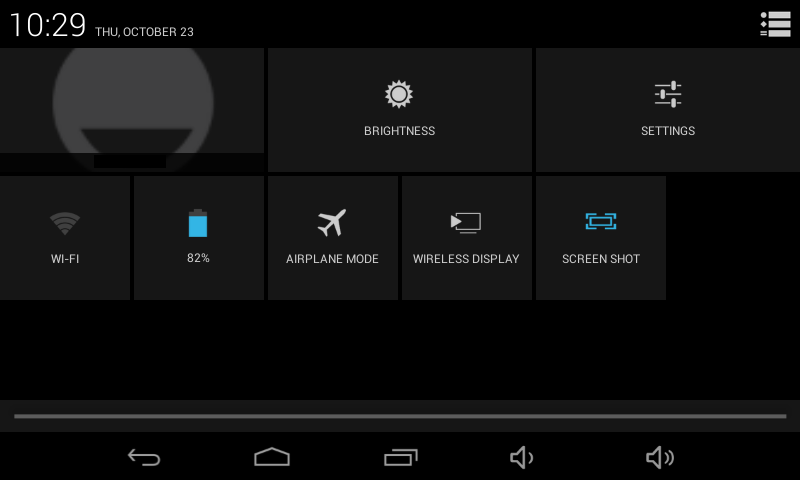
To get to the menu for connecting via WiFi, swipe down the top edge of the screen. You get the notifications screen (might be messages about emails received, or apps with updates, for example).

Tap the icon in the top right corner (looks like a small head silhouette with five squares). You will get several common setting options or informative widgets, such as battery charge level, “airplane mode”, and screen brightness.
If you are not connected to WiFi, there will be a widget named “WiFi”; if you are connected, the widget will have the name of the WiFi you are connecting through. Tap this widget.

Leave a Reply
You must be logged in to post a comment.