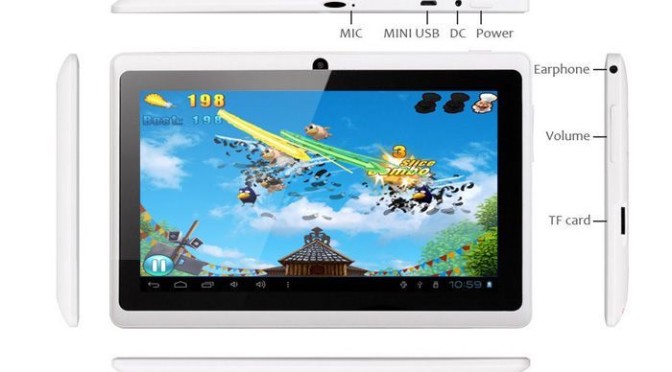
The power switch is on top of the tablet, as viewed in landscape mode (wider than it is tall), near the right edge. Press and hold the power button until you see the screen come on.
If the screen blanked recently, then a quick press will be enough.
If the tablet turned off to save battery, after not being used for a while, you will have to hold the power button down for several seconds.

Turning the Tablet Off
To turn the tablet off (for example, you know you aren’t going to use it, and don’t want the battery draining), hold the power button down until a shutoff dialog appears. Tap the option you want.