Shutter is a good screen capture program, that also lets you edit the screen. For example, you can draw boxes, add text, add arrows, blank out sensitive information.
For some versions of Linux Mint (for example Linux Mint 19.3), when you install Shutter from the Software Manager, you get a message in Shutter that the edit functions require a library to be installed, Goo::Canvas.
I first found the solution in How to Install Shutter on Linux to Take Screenshots but that had out-dated information about the repository to use.
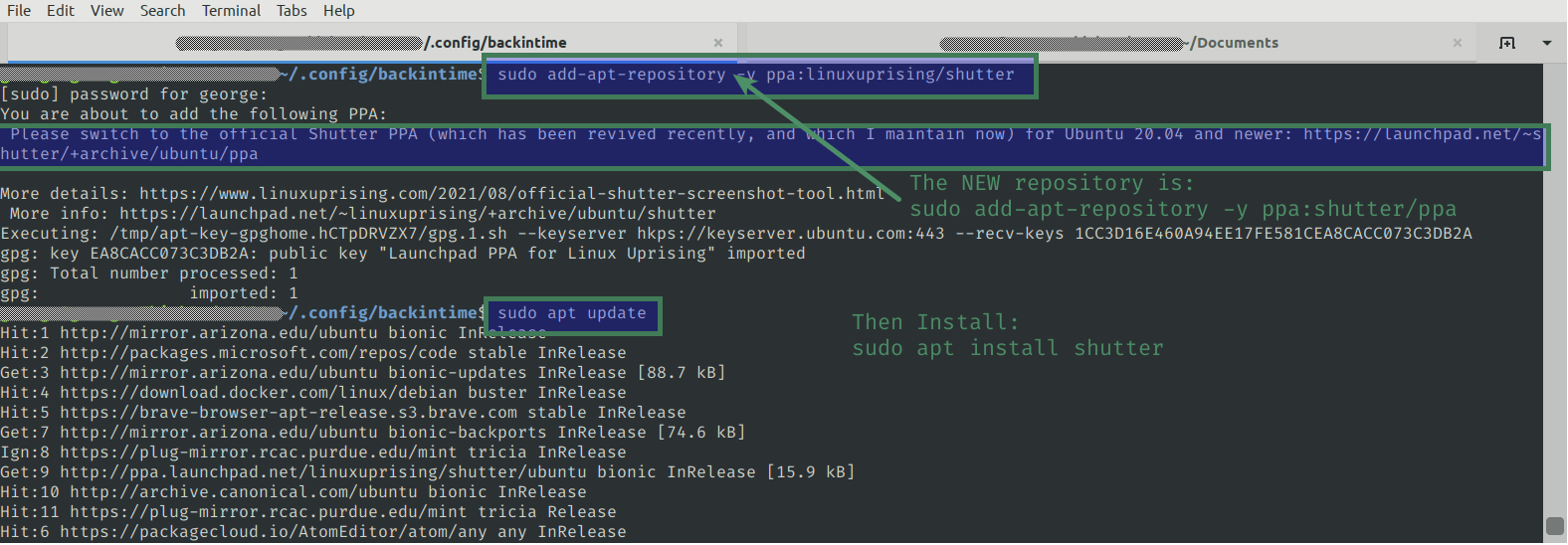
When you install from the old repository you get this message:
Please switch to the official Shutter PPA (which has been revived recently, and which I maintain now) for Ubuntu 20.04 and newer: https://launchpad.net/~shutter/+archive/ubuntu/ppa
More details: https://www.linuxuprising.com/2021/08/official-shutter-screenshot-tool.html
More info: https://launchpad.net/~linuxuprising/+archive/ubuntu/shutter
https://launchpad.net/~shutter/+archive/ubuntu/ppa says the new command to add the updated repository issudo add-apt-repository ppa:shutter/ppa
Here’s how to get the editing functions of Shutter to work, with the updated repository.
Installing Shutter
Open your Terminal.
sudo add-apt-repository -y ppa:shutter/ppa
Then update your system’s repository list:sudo apt update
Now you are ready to install Shutter.
sudo apt install shutter
Remove the Old Repository from Your Computer
sudo add-apt-repository -r ppa:linuxuprising/shutter
Note that this remove option (the -r ) doesn’t show in man add-apt-repository, but it does show in add-apt-repository --help