Category: OS-X

  • Securely Wipe Unused Hard Disk Space

    Securely Wipe Unused Hard Disk Space

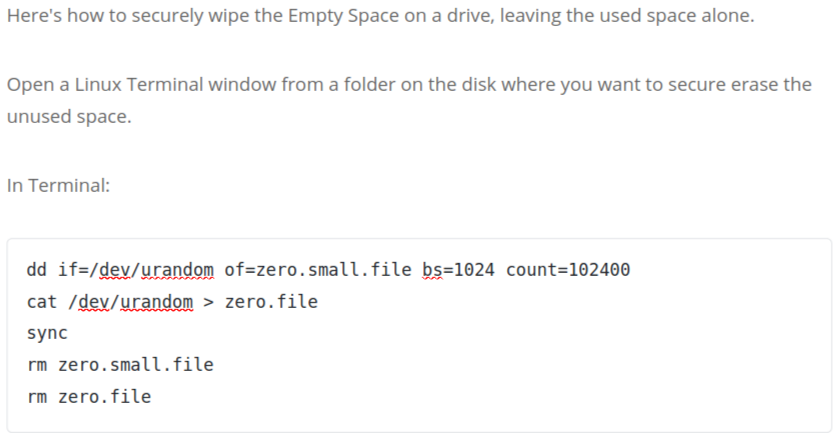
    Here’s how to securely wipe the Empty Space on a drive, leaving the used space alone.

    Open a Linux Terminal window from a folder on the disk where you want to secure erase the unused space.

    In Terminal:

    dd if=/dev/urandom of=zero.small.file bs=1024 count=102400 
    cat /dev/urandom > zero.file 
    sync 
    rm zero.small.file 
    rm zero.file

    That makes a small file (100 MB = 1024x1024x100 bytes) filled with a random character,

    then fills the disk with a random character (which takes a very long time),

    then sync (prevents a smart disk cache from blocking writing to disk),

    then deletes the small file so the time you have with “disk full” is short,

    then deletes the big ‘zero.file’.

    Run this several times for even more security, if you really need to.

    Instead of /dev/urandom you can use /dev/zero to fill the disk with zeros.

    All the sectors that are filled, will be tested by the drive’s SMART test, and any bad blocks will be marked so they aren’t used any more.

    You should then check the SMART disk tool, to make sure there are few bad blocks; if there are many, or the number increases over time, immediately move data to a new drive and discard this one.

  • Copying iPhone Files to/from OS-X or PC

    Software to copy music, pictures, files between your iPhone and Computer. Most of the best solutions are cross-platform (OS-X, Windows, and sometimes Linux). All are free or inexpensive. Copying is much faster using USB transfers than WiFi.

    (more…)

  • MPEG StreamClip convert Sony HandyCam videos

    MPEG StreamClip for Mac and Windows is from SQUARED 5, http://www.squared5.com/svideo/mpeg-streamclip-mac.html

    I use it to convert files from a Sony HandyCam that Final Cut Express can’t play properly (no audio) into a format that plays audio and doesn’t need to be rendered.

    Plus, from the site: “MPEG Streamclip (with or without the MPEG-2 Playback Component) can also convert MPEG-2 transport streams into muxed MPEG-2 files”, another format the HandyCam can write.

    Free, OSX and Windows versions.

  • Final Cut editing without rendering again and again

    Do you spend too much time rendering as you edit videos in Final Cut?

    This YouTube clip, http://www.youtube.com/watch?v=9XEjAOFsDVQ “No more rendering in Final Cut Express” shows how to cut rendering to one time.

    There is a free utility mentioned in that video. Use MPEG StreamClip to convert video and audio to a format that Final Cut recognizes without rendering.

    Use the free utility MPEG StreamClip to export your video to Apple DV/DVCPRO – NTSC format at Quality 100%, Sound settings: Uncompressed 48KHz. No more rendering in Final Cut!

    Note: Make sure the Clip settings match the Sequence settings.